An automatic ID.
No phone number or email.
Choose your name and receive an automatically generated ID to share with the people you want to talk to.
Discuții Pixelate
Discuții Pixelate puts control and the privacy of your conversations in your hands.
Connect through an automatically generated ID, organise your contacts and keep your conversations close.
Free · Android, iPhone and desktop · Ages 16 and up
Three things that MATTER. Three things that make a DIFFERENCE.
Choose your name and receive an automatically generated ID to share with the people you want to talk to.
Family, friends, colleagues or categories of your own. Organise your list and choose how each contact is named.
Private messages become visible in the app once each person has added the other's ID to their contact list.
Four seasons, one app
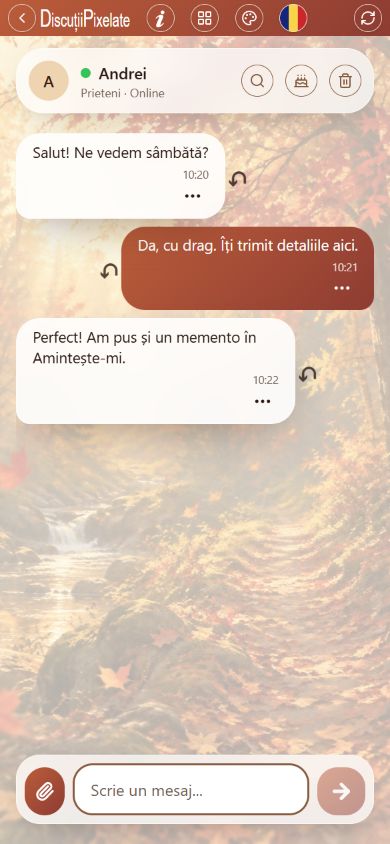
Backgrounds and button colours change with the seasons. You can also choose your preferred theme manually in the app.
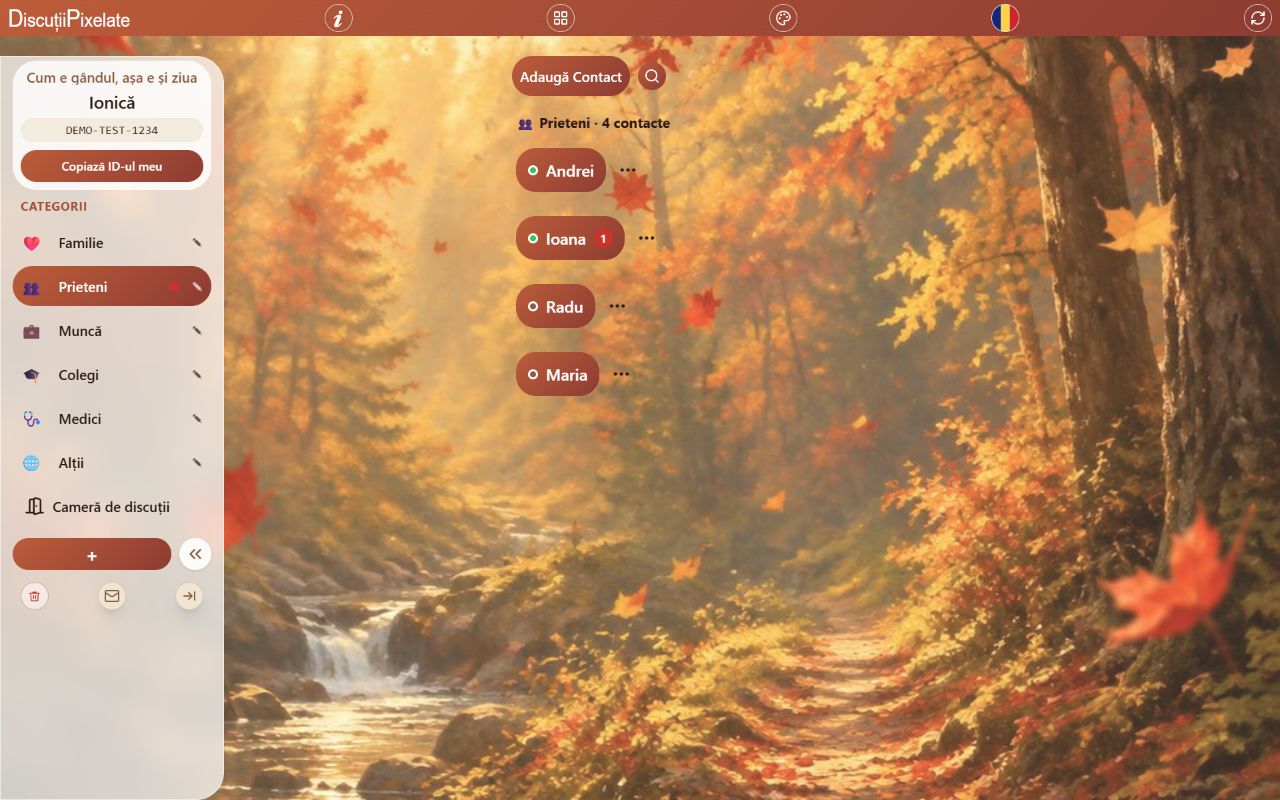
Screenshots of the app interface. Names, IDs and messages shown are fictional.
Beyond a message
Send photos from your gallery or camera, record audio and attach documents. Manage your dedicated file storage yourself.
Create or join discussion rooms with multiple participants. Invite the people you want to include in the group conversation.
Share your current location so the recipient can open it in Google Maps.
Reminders or birthdays? A calendar or a radio to enjoy in the car, at work or on the go? Want to check the weather or air quality? Find a range of utilities in the app, alongside informative content and/or commercial notices.
Choose how to open it
On Android, iPhone and desktop, you can use the app in your browser and install the PWA where supported.
No. You can also use the app in your browser. Installing the PWA is optional.
The PWA interface may remain available after its first load, but conversations, authentication and sending files require an internet connection.
When a new version is published, the web app can offer an update. Apply it after finishing your message or current task.
The current allowance is 50 MB for files sent by each user, with up to 10 MB per file after preparation. Files expire after 90 days.
Availability depends on your browser, system and permissions. Installing the PWA does not guarantee alerts when it is closed; notifications and alerts need to be checked on your device.